Firmware for the Analog Waveguide Stereo Resonator module
You can check which firmware you are using by pressing the factory settings button on the right side of the bottom board, next to the USB-C port. The menu entry “Show firmware version” shows the currently installed firmware version along with the build date.
1.3.0
 Flashing the firmware to the device
There are three alternative ways how to update the Analog Waveguide. We recommend the web-based updater, the other methods are documented here for completeness: the STM Cube Programmer, or the command line tool dfu-util.
 Using the Web Updater
The easiest and preferred way to update the Analog Waveguide is by using our WebUSB updater. It only requires a Chromium webbrowser to run. Head to
using Google Chrome, Microsoft Edge, Brave, Opera, or any other Chromium-based browser. (Mozilla Firefox [Gecko] and Safari [WebKit] are not based on Chromium and thus not supported.) Follow the instructions you find on the website above.
 To update using the STM Cube Programmer follow these steps:
Alternatively, you may also use the STM Cube Programmer to update the firmware. You can download the software without registering for an account on STM by clicking on “Download as a guest” when asked to log in or register.
- Press the factory settings button momentarily.
2.Use the Rotation knob to navigate to the “Firmware update mode” menu entry and press the factory settings button to enter. - Press and hold the firmware update button for two seconds to put the module in firmware update mode.
- You are now in firmware update mode. The module will stay unresponsive until the update is complete.
- Connect your computer with a USB-C data cable.
- Open STM Cube Programmer
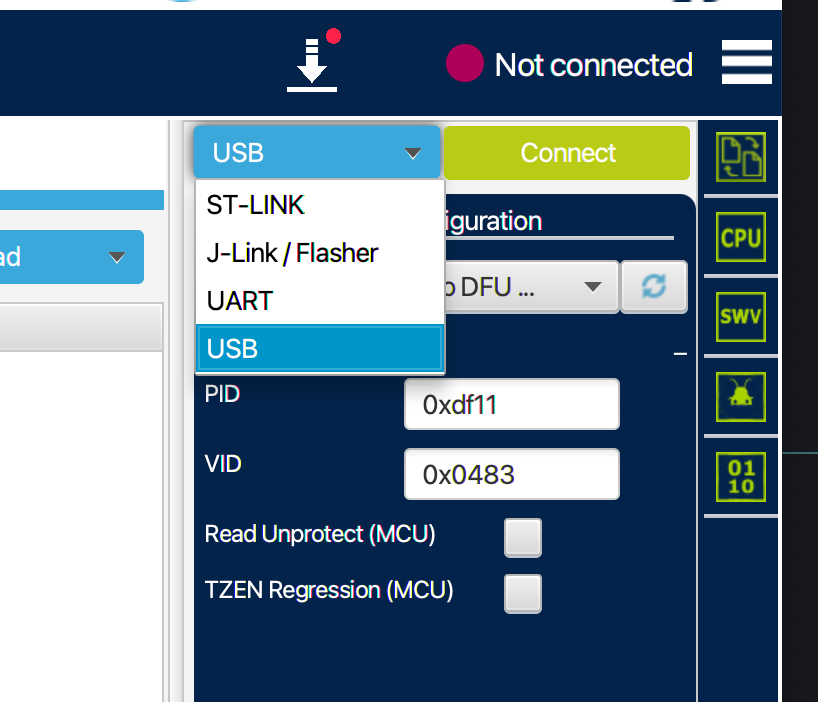
- Select “USB”
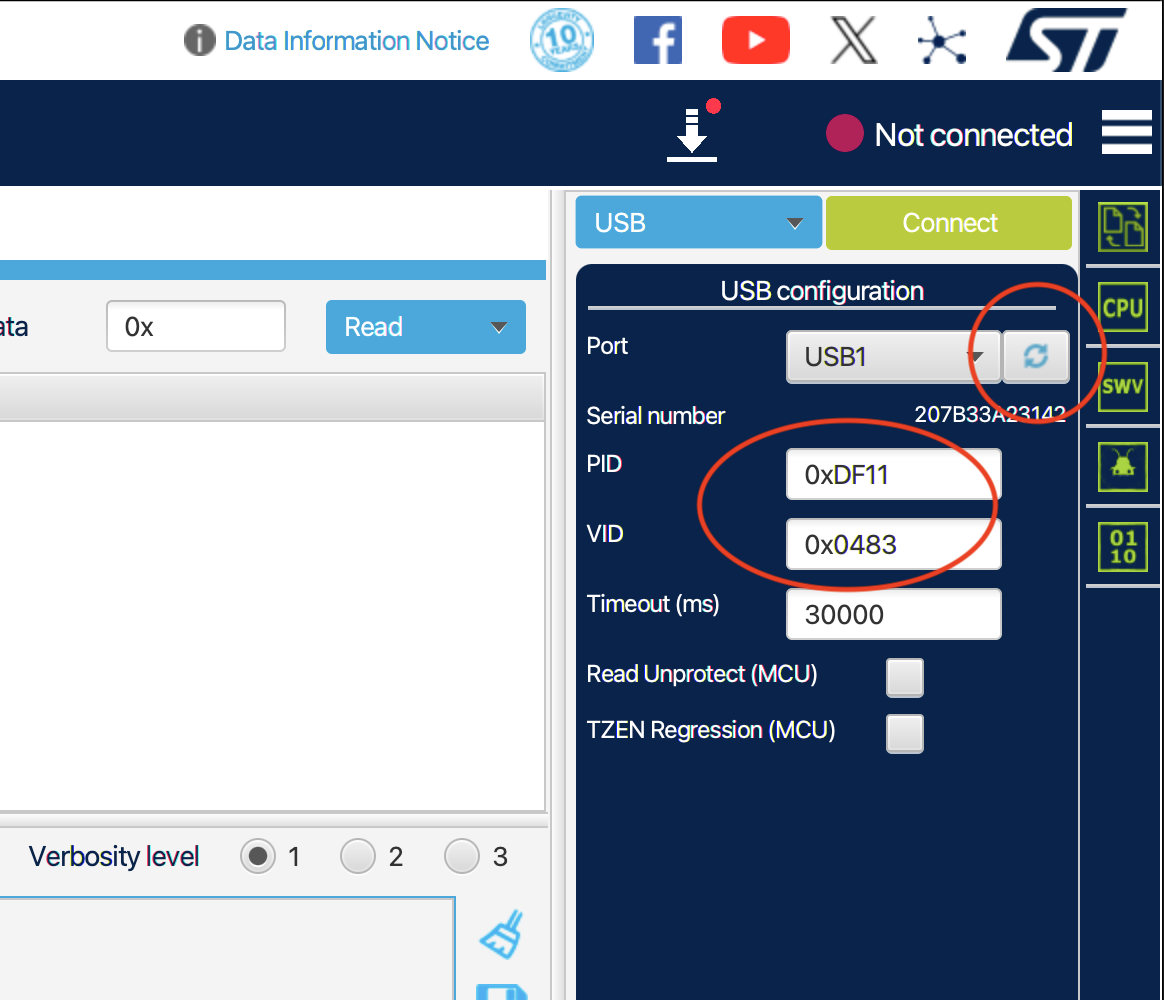
- Click the “reload” icon, choose device with PID: 0xDF11 VID: 0x0483, then click “Connect”.
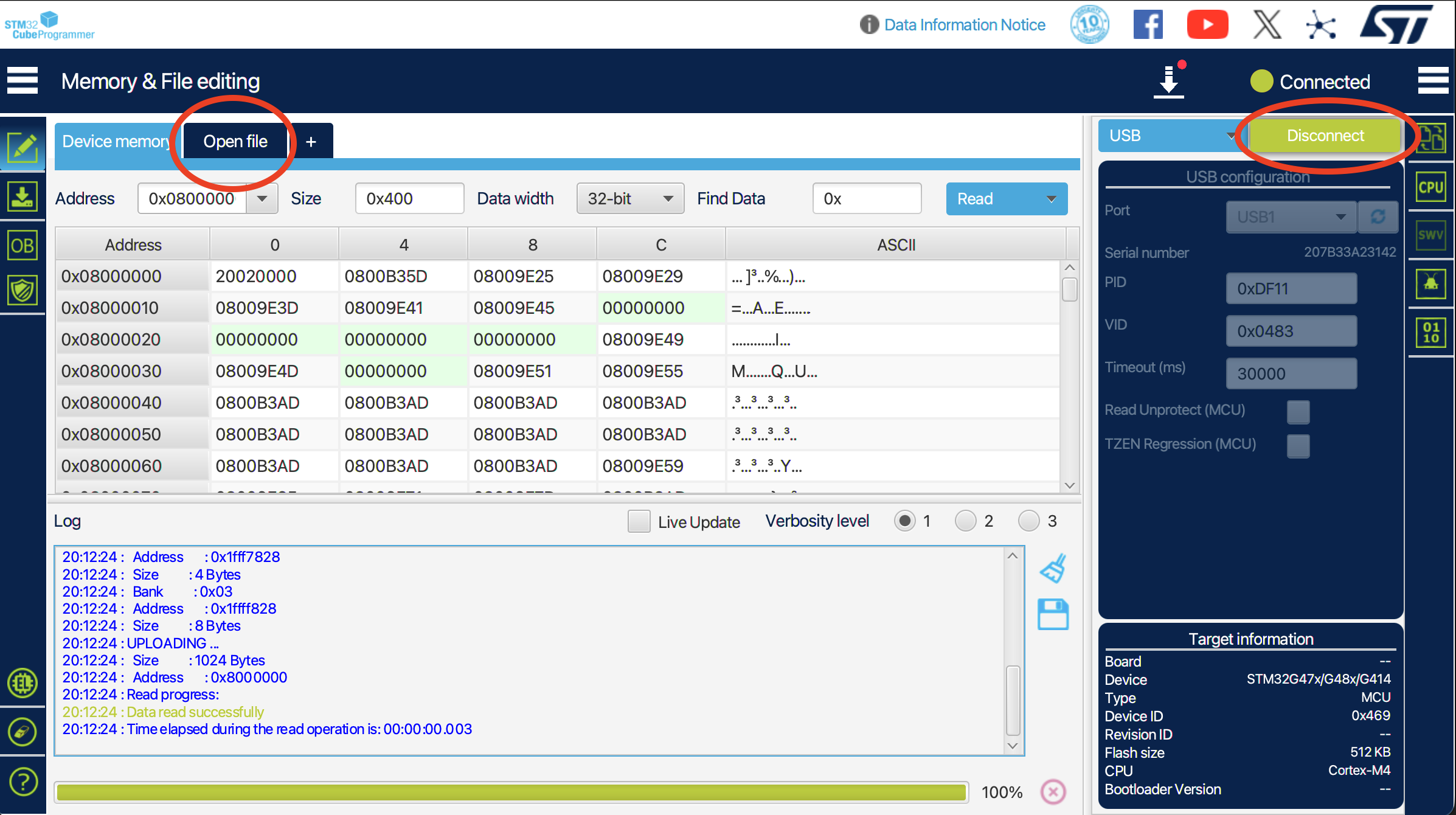
- Click the “Open file” tab and choose the new firmware file from your file system.
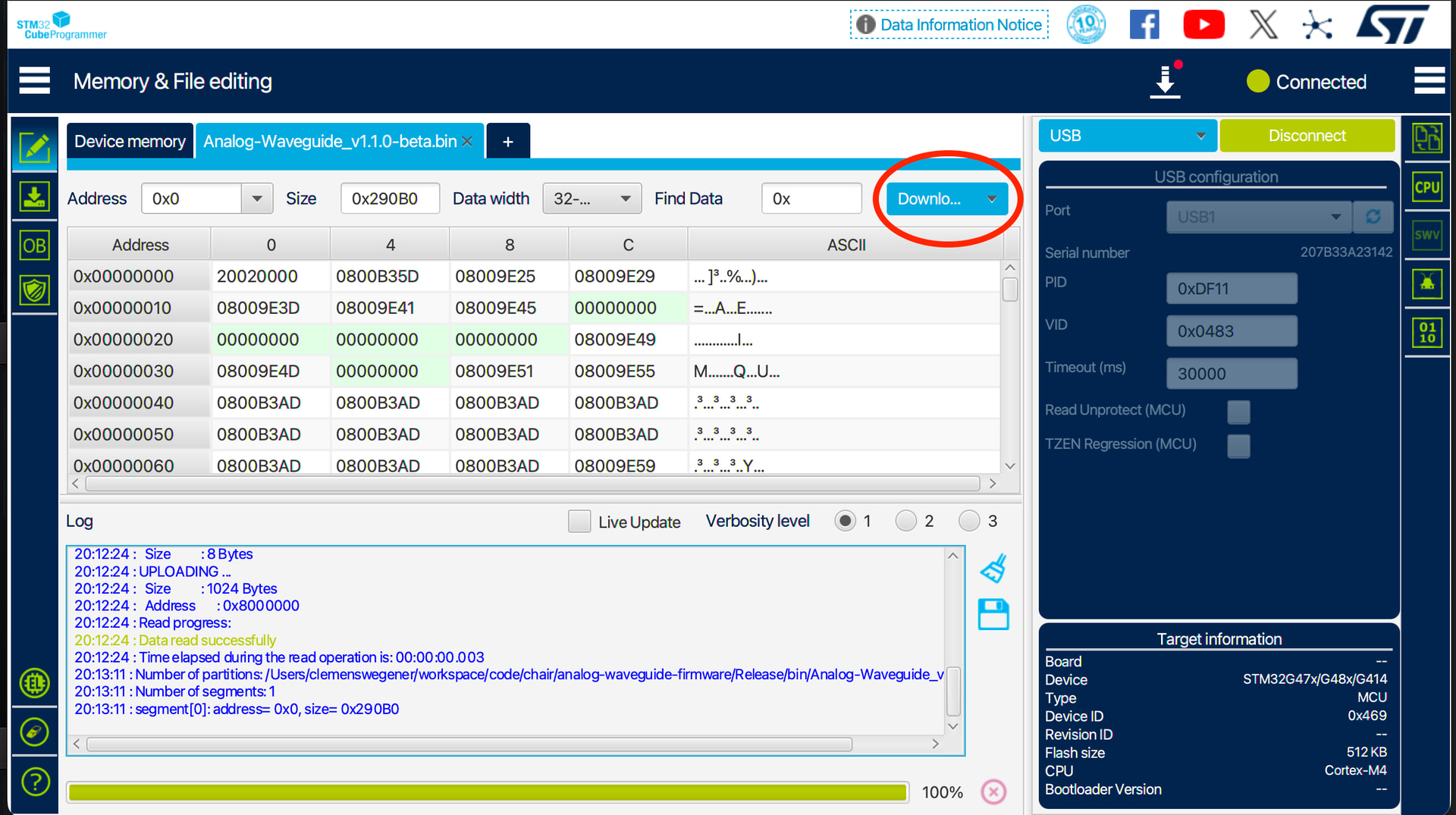
- Click the “Download” button.
- The download process will start now, wait for it to finish.
- Unfortunately the device doesn’t reboot automatically and there is no option to do so from the programmer, so you will need to manually switch the Analog Waveguide’s power source off and on again.
 To update using the command line tool dfu-util follow these steps:
Get the command line utility dfu-util.
-
Press the factory settings button momentarily.

-
Use the Rotation knob to navigate to the “Firmware update mode” menu entry and press the factory settings button to enter.
-
Press and hold the firmware update button for two seconds to put the module in firmware update mode.
-
You are now in firmware update mode. The module will stay unresponsive until the update is complete.
-
Connect your computer with a USB-C data cable.
-
Using dfu-util run (replace x.x.x with proper filename):
sudo dfu-util -a 0 -i 0 -s 0x08000000:leave -D Analog-Waveguide-Firmware\_vx.x.x.binYou may get this error:
dfu-util: Error during download get_statuswhich you may safely ignore. -
When the download is finished the module will restart. You may disconnect the USB-C cable now.
Congratulations, you have updated your firmware. 
Archive of older firmware:
Analog-Waveguide_v1.2.3.bin.zip (82.7 KB)
Changes:
- new menu system and navigation
- includes digitally controlled analog limiter in feedback path
- screen saver with settable timer
- settable display brightness
- lower noise and lower distortion
- MPU/RAM optimizations
- slightly bigger vertical image size
- fixes flickering peak indicators
- mute when entering menu
Analog-Waveguide_v1.0.5.bin.zip (98.5 KB)
Changes: 2 instead of 3 seconds long press in menu.
Analog-Waveguide_v1.0.4.bin.zip (98.5 KB)
Changes: Corrects encoder rotation direction and waveform display
Analog-Waveguide_v1.0.2.bin.zip (98.4 KB)
Changes: Accellerated display. Made button press more rubust. Reordered menu items to reflect recommended order for calibration. FW update mode now accessible through menu.
Analog-Waveguide-v1.0.0.bin.zip (99.7 KB) Initial Firmware version.